
This site is designed to help Fresco editors learn how to use the CMS effectively, manage content with confidence, and troubleshoot common issues. It includes step-by-step guides, video tutorials, and resources to support editors at every level.
Fresco is always improving. We’ll continue to add new resources to this site to support your work and help you make the most of the platform. Our documentation includes what’s available to you now and what’s coming soon. Functionality marked as ‘Beta’ is being developed and you won’t see it yet on your site. Follow What’s new for when Beta items have been released. For a longer-term overview, refer to the roadmap.
Getting started
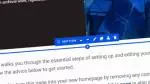
If you're new to Fresco, the Getting started with Fresco page is a great place to begin. It walks you through the essential steps for creating and editing your website, with clear guidance to help you get up and running quickly.
Banner Image credit: Photo by Declan Sun on Unsplash.