
Embed administration
Role: Site Administrator
How to choose which applications can be embedded on your site from the Fresco whitelist.
Related information
How to configure
Access site Settings
- Go to Settings > Structure
- Select Site Embed Options (Fig. 1)
Image
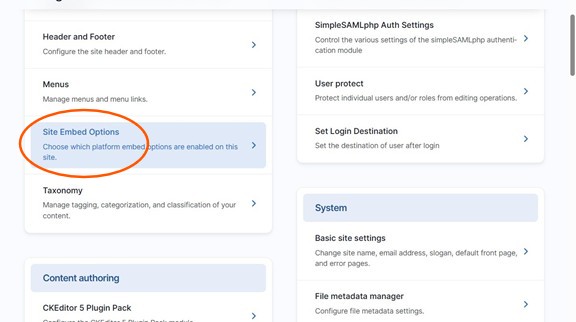
Fig. 1 Settings > Structure > Site Embed Options
Choose embedded applications
- Review the list of third-party applications available to use on your site (Fig. 2)
Image
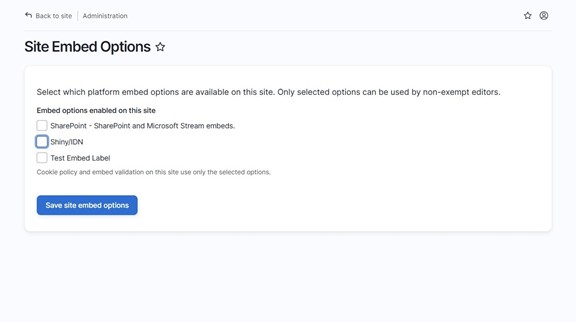
Fig. 2 List of available applications which can be used on a site
- Select applications to be used on your site (Fig. 3)
Save Site embed options (Fig. 3)
Image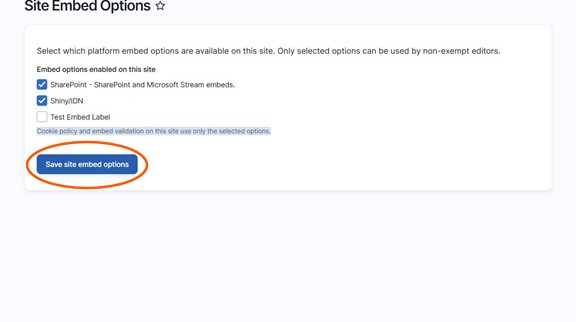 Fig. 3 Save the selected site embed options
Auto-generated cookies statement
A site specific cookies statement is auto-generated to include the cookies for the applications you have selected (Fig. 4)
Image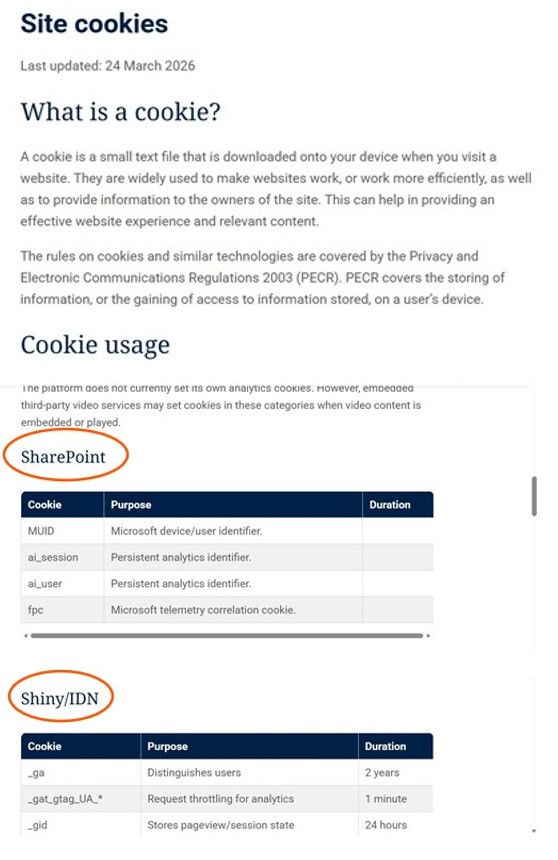 Fig. 4 Extract from auto-generated site specific cookies statement
- The cookies statement is linked to /site-cookies from the Footer
Changes may have been made to enhance this feature since we last updated this page. See What’s new for the latest release information.
Last updated: 11 June 2026